You can change the Colour of custom paper type.
|
IMPORTANT
|
|
If you select the Colour which is different from actual Colour of a paper, paper jams may occur, and the quality of the image may be adversely affected.
|
1.
Press  → [Preferences] → [Paper Settings] → [Paper Type Management Settings].
→ [Preferences] → [Paper Settings] → [Paper Type Management Settings]. 2.
Select the paper type that you want to edit from the list → press [Details/Edit].
3.
Press [Change] next to <Color>.
4.
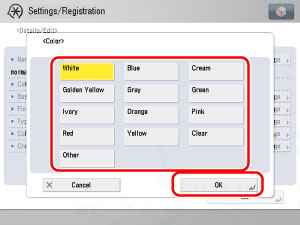
Select the paper Colour → press [OK].
5.
Press [OK].