You can change the custom paper type's name.
|
NOTE
|
|
When you register the custom paper type's settings, make sure to change its name. You cannot change the settings of default paper types registered in the machine.
|
1.
Press  → [Preferences] → [Paper Settings] → [Paper Type Management Settings].
→ [Preferences] → [Paper Settings] → [Paper Type Management Settings].2.
Select the paper type that you want to edit from the list → press [Details/Edit].
3.
Press [Change] next to <Name>.
4.
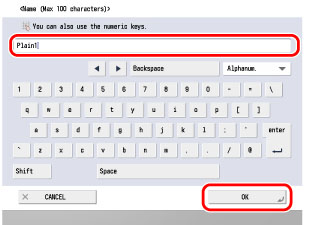
Enter a name → press [OK].
5.
Press [OK].